TuringSign Partners with IT Solution Pte Ltd to Offer SSL in Singapore

TuringSign SSL certificates are now available in Singapore through IT Solution Pte Ltd, bringing trusted website security solutions to enterprises, businesses, and government organizations.

TuringSign is pleased to announce a new partnership with IT Solution Pte Ltd, a Singapore-based IT solutions provider, to distribute TuringSign SSL certificates in Singapore.

TuringSign announces a new partnership with IT Solution Pte Ltd
TuringSign partners with IT Security Pte Ltd in the Singapore market

This partnership marks an important step in TuringSign’s expansion in Southeast Asia, making our SSL certificate solutions accessible to Singaporean enterprises, businesses, and government actors seeking reliable website security and trusted digital communications.

A Strong Local Partner

IT Solution Pte Ltd provides a range of IT services in Singapore, including IT infrastructure, managed support, cloud solutions, domains and hosting, and data security. Its experience across these areas makes it a valuable partner for bringing TuringSign SSL certificates to the local market.

IT Solution has also featured TuringSign in its guide to choosing an SSL certificate, highlighting our solutions as an option for organizations looking to secure their websites.

By combining TuringSign’s SSL certificate portfolio with IT Solution’s local expertise, the partnership will help Singaporean organizations find certificate solutions suited to their operational and security needs.

Supporting Singapore’s Digital Future

TuringSign is excited to work with IT Solution Pte Ltd to make trusted SSL certificate solutions more accessible across Singapore. We look forward to supporting enterprises, businesses, and government organizations as they strengthen website security and build trust in their digital services.

Bringing Trusted SSL Security to Singapore

SSL/TLS certificates are essential for securing online communications, protecting data in transit, and verifying website identities. As organizations increasingly rely on digital services, strong website security is critical to maintaining user trust and protecting sensitive information.

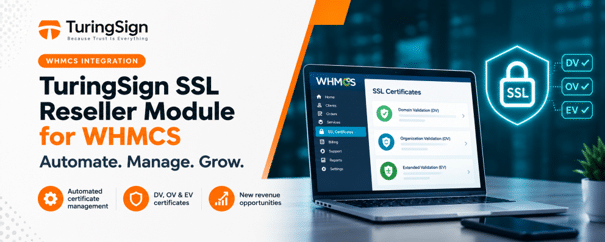
Through this partnership, customers in Singapore will gain access to TuringSign’s portfolio of Domain Validation (DV), Organization Validation (OV), and Extended Validation (EV) certificates, supporting a range of website security and identity verification requirements.

These solutions can help organizations secure their websites, strengthen their digital presence, and provide users with greater confidence when interacting with their online services.

Discover TuringSign SSL Certificates in Singapore

Looking to secure your organization’s digital presence? Explore TuringSign’s SSL certificates through our partner, IT Solution Pte Ltd, in Singapore.

0
0
Your Cart
Your cart is empty

Instant Automated OV Certificates

TuringSign’s proprietary AutoValidation API enables authoritative data verification across major global markets.

• Fully Automated: Eliminates manual effort in document validation.

• Instant Processing: Significantly reduces validation time for a faster, more efficient workflow.

• Enhanced Accuracy: Connects in real time to official government sources across 13 supported countries.

* Subject to availability and country-specific coverage.

Automation for Unmatched Speed

Check mark with hand icon.

Full Automation

Fully Automate your SSL Management with ACME

Analysis analytics column graphic improvement icon.

Fastest OCSP

Boost Page Loading Speeds with our Industry-Leading OCSP

Achievement icon.

Priority Validation

Get High-Assurance Certificates Faster than ever

Best Value Pricing

Lowest Prices for Best-in-Class Products : Affordability with excellence.

Standard DV SSL

DigiCert $64
Sectigo $99
GlobalSign $249
GoDaddy $69
TuringSign $59

Wildcard DV SSL

DigiCert $629
Sectigo $499
GlobalSign $849
GoDaddy $349
TuringSign $259

Single OV SSL

DigiCert $312
Sectigo $199
GlobalSign $349
Entrust $199
TuringSign $179

Wildcard OV SSL

DigiCert $984
Sectigo $879
GlobalSign $949
Entrust $799
TuringSign $699

EV SSL

DigiCert $468
Sectigo $279
GlobalSign $599
GoDaddy $399
TuringSign $209

Source: Netcraft SSL Server Survey, August 2024. Provided for reference only. 3rd Party prices may have change.

Join the Waitlist

Next Steps

1. Validate Domain (Authenticate domain depending on which method you choose)

Check the email that has been sent to you. To confirm the domain ownership rights for your certificate, you need to copy the validation code from the approval email, follow the link in it and paste the validation code into the corresponding field.

From the email, please click the link to the verification page, Once in the verification page, please enter the code provided in the email for verification.

That’s it!

After you have completed verification, a confirmation email will be sent to you. And shortly after, an issue confirmation will be sent to you via email. You can follow the link to the portal to download your newly issued certificate.

If you have followed the steps above and did not receive an approval email to your mailbox, please click the link to the portal and double check your validation method or contact us for help. 

Another way of verifying a domain is DNS (TXT record) Verification. If you selected DNS Authentication as your verification method, you will receive a unique TXT record via email consisting of two parts:

  • 1. Name: Name/Host/Alias/TXT: Blank or @
  • 2. Value/Points to/Destination:”wisekey=XXXXXXX”
  • TTL: This is your TTL (Time-To-Live) value. Set it to 3600 or lower.

Verify by adding a TXT record in your DNS. Please verify and check if you have added the correct record

Please submit a requestfor support if you face any issues.

Depending on your DNS provider, You may have to wait for at least an hour for the changes to take effect in the DNS Servers. You will be notified via email when the domain is verified.

The third method of verifying a domain is HTTP File Upload Verification. After choosing File Authentication as your verification method, you will receive an email and be asked to download a unique verification file (Format: .txt) and upload it to a specific directory on your web server.


Verify by uploading the attached file fileauth.txt in your web server as follows:


  • 1. Download the text file fileauth.txt (attached with the email).
  • 2. Upload the above file (fileauth.txt) to your host in this EXACT path: http://my-domain.com/.well-known/pki-validation/fileauth.txt


You may have to wait for at least an hour for the changes to take effect in the validation services. You will be notified via email when the domain is verified.

Please submit a request for support if you face any issues.

2. Receive Confirmation (After validation an email will be sent with a link to certificate)

3. Download certificate and upload to hosting

Notice: After generating a CSR,
1. Copy the Private KEY and keep this to yourself for reference.
2. Copy only the CSR above and use(paste)
in to request your TS Certificate.
3. Click the top left button to close.

TuringSign
Privacy Overview

This website uses cookies so that we can provide you with the best user experience possible. Cookie information is stored in your browser and performs functions such as recognising you when you return to our website and helping our team to understand which sections of the website you find most interesting and useful.